Website Cost in India (2026): What a Small Business Website Really Costs
Typical prices for a small business website in India, the yearly costs nobody mentions and how to get a fair quote — no hidden charges.
 Nancy Dahiya8 min read

"How much for a website?"
Ask five people and you'll hear five answers: ₹3,000, ₹15,000, ₹50,000, "depends", and "first tell me your budget".
That's confusing — and it's why many business owners either overpay or end up with a cheap website that brings no enquiries.
This guide explains website cost in India in plain words: what a small business website typically costs, the yearly charges nobody mentions upfront, and how to get a fair quote.
All figures below are typical market ranges in 2026, not fixed rates. Prices vary by city, the developer's experience and exactly what's included.
Quick Answer: Typical Website Prices in India
 Illustration
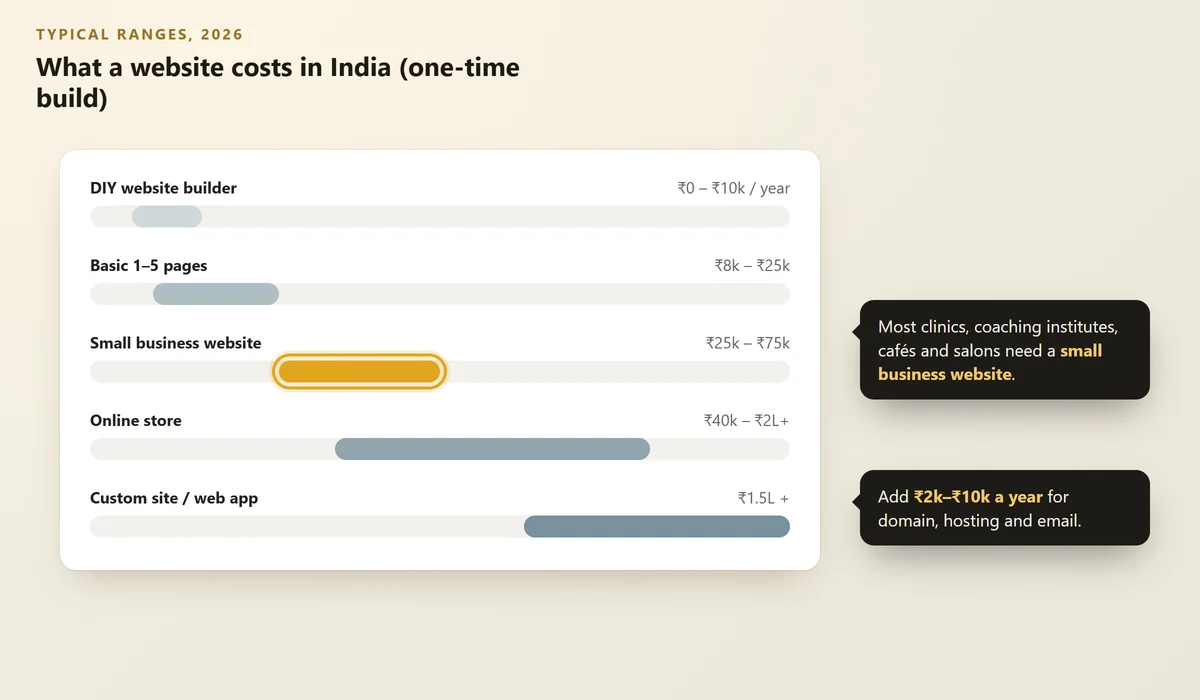
Type of website | Typical one-time cost | Good for |
|---|---|---|
DIY website builder (you build it) | ₹0–₹10,000 a year (plan fee) | Testing an idea, very small budgets |
Basic 1–5 page website | ₹8,000–₹25,000 | A simple online presence |
Small business website (5–15 pages, built to get enquiries) | ₹25,000–₹75,000 | Clinics, coaching, salons, service businesses |
Online store (e-commerce) | ₹40,000–₹2,00,000+ | Selling products online |
Custom website or web app | ₹1,50,000 and up | Bookings, portals, special features |
Most local businesses — a clinic, coaching institute, café or salon — fall in the small business website row.
What You Pay Every Year (Not Just Once)
A website isn't a one-time purchase. These running costs keep it online:
Item | Typical yearly cost | What it is |
|---|---|---|
Domain name (.com or .in) | ₹500–₹1,500 | Your address, like yourbusiness.com |
Hosting | ₹1,500–₹8,000 | The server your website lives on |
SSL certificate (the padlock) | Usually free | Included with most hosting today |
Business email | ₹700–₹3,000 per person | you@yourbusiness.com |
Maintenance (optional) | ₹6,000–₹36,000 | Updates, backups, small changes, security |
Many domains and hosting plans are cheap in the first year and cost much more on renewal. Always ask: "What will I pay in year two?"
7 Things That Change the Price
- Number of pages: a separate page for each service costs more to build — but it's also what helps you rank on Google. See our SEO for small business guide.
- Design: a ready-made template is cheaper; a design made for your brand costs more.
- Content: will you write the text and supply photos, or does the developer? Writing and photography add cost.
- Features: appointment booking, payments, a members' area or a product catalogue each add work.
- Languages: English plus Hindi (or another language) means more pages to build and check.
- Speed and SEO setup: page titles, a fast mobile site and Google Search Console setup — often skipped by very cheap offers.
- Who builds it: a student or beginner freelancer, an experienced freelancer, or an agency — more experience usually costs more, and includes more.
DIY Builder, Freelancer or Agency?
 Illustration
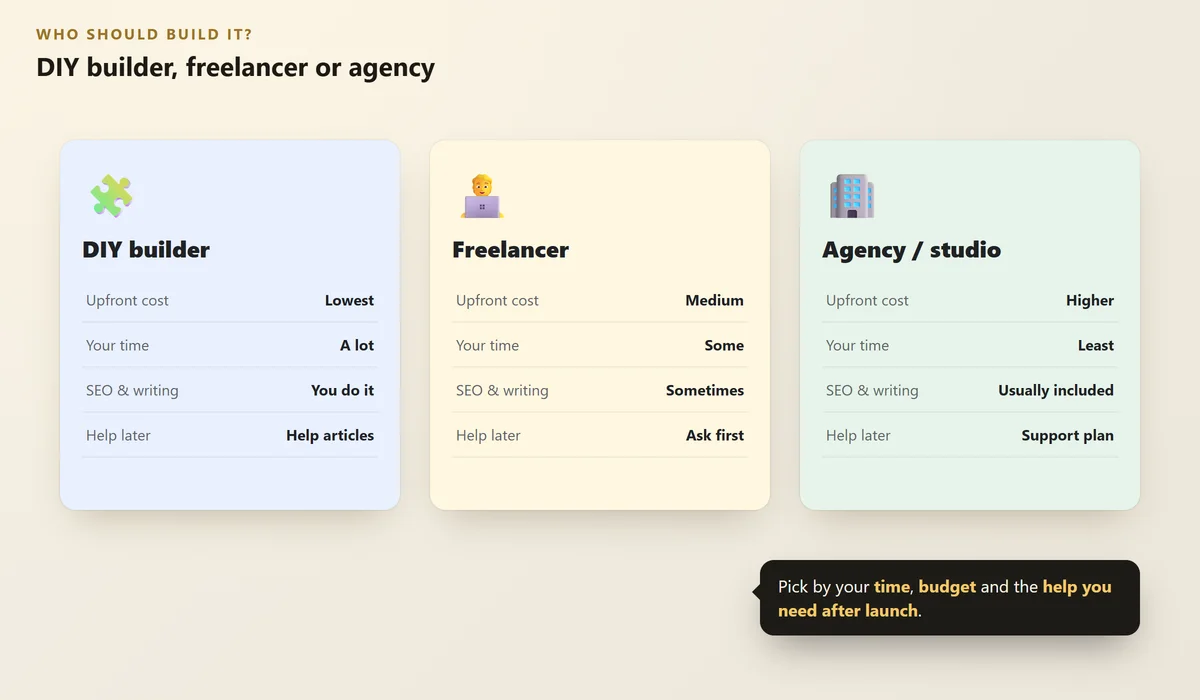
- DIY builder (Wix, Shopify, Google Sites and others): lowest upfront cost, but you spend the time, and the monthly plan adds up over the years.
- Freelancer: often good value. Check their past work and ask who will help when something breaks after launch.
- Agency or studio: costs more, but usually covers strategy, writing, SEO setup and support in one place.
Whoever you choose, ask the right questions first — here are 10 questions to ask a website developer.
Hidden Costs to Ask About Before You Pay
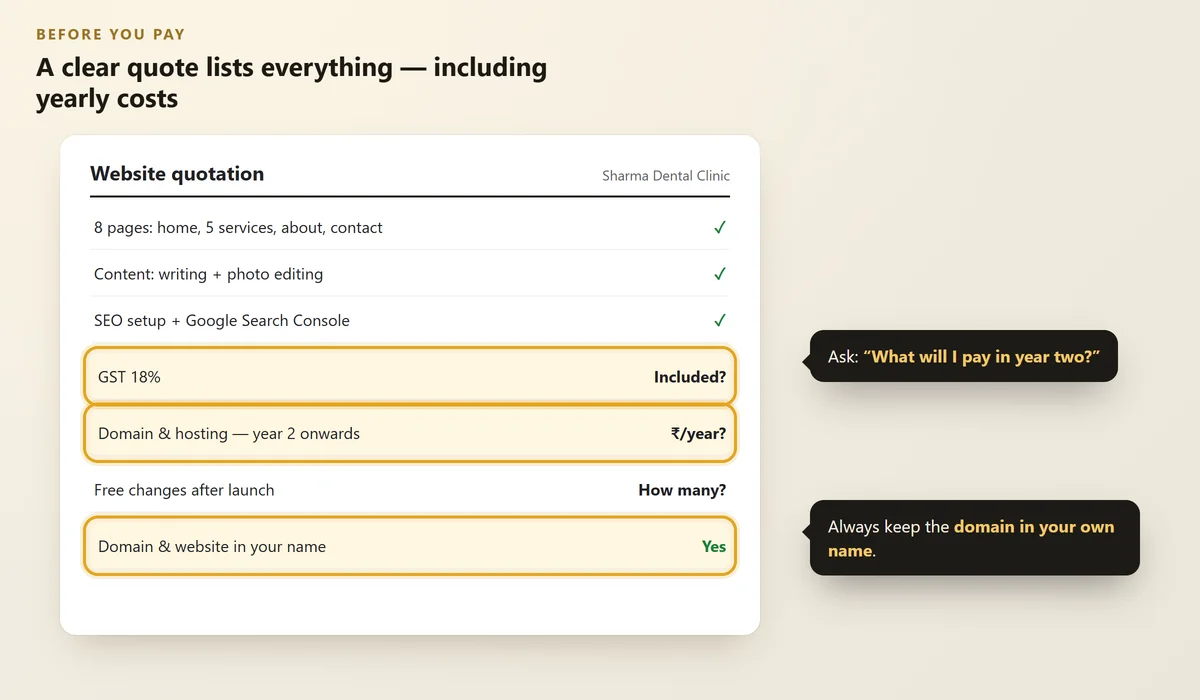
- GST: is 18% GST included in the quote, or added on top?
- Renewals: domain and hosting price from year two.
- Changes after launch: how many small edits are free, and the rate after that.
- Paid plugins or themes: some need yearly licences.
- Ownership: will the domain and website be in your name, with your login?
 Illustration
Register the domain in your own name and email, even if the developer does the setup. If you ever change developers, your website address stays with you.
Is a ₹3,000 Website Worth It?
Sometimes — if you only need a basic page with your phone number. But very cheap offers often leave out the things that bring customers:
- A copied template used for hundreds of businesses
- No page for each service, no page titles or descriptions, no Google setup
- A slow mobile site (check yours free — how to check website speed)
- The domain registered in the developer's name
A website is worth what it brings in. If it gets you even one or two extra customers a month, a properly built site usually pays for itself. Not sure you need one yet? Read do I need a website for my small business.
How to Get a Fair Website Quote
- Write down what you need: your services, the pages you want, and the one action you want visitors to take (call, WhatsApp, book).
- Collect your content: logo, photos, service details, prices if you share them.
- Ask 2–3 developers for a written quote listing pages, features, timeline and yearly costs.
- Compare like for like, not just the final number.
- Check the must-haves against our list of 12 things every small business website must have.
FAQs
How much does a website cost in India for a small business?
A basic website typically costs ₹8,000–₹25,000, and a proper small business website built to bring enquiries usually costs ₹25,000–₹75,000. Add roughly ₹2,000–₹10,000 a year for domain, hosting and email.
How much does a website cost per month in India?
If you've paid for the build, running costs are often just a few hundred rupees a month for hosting and domain. Website builders and online store platforms charge a monthly plan, and maintenance packages are extra.
Is GST charged on website development?
Yes. Website design and development services attract 18% GST in India when the developer is GST-registered. Ask whether a quote includes it.
How long does it take to build a website?
A simple website can be ready in one to two weeks. A small business website with several service pages usually takes two to six weeks, mostly depending on how quickly the content is ready.
Can I build a website myself for free?
You can start free with tools like Google Sites or a builder's free plan, but you'll usually need a paid plan to use your own domain and remove the builder's branding.
Final Thoughts
The right question isn't "what's the cheapest website?" — it's "what will bring me customers, and what will it cost every year?"
Get a written quote, check the yearly costs, keep the domain in your name, and make sure the site is built to be found on Google.
Want a clear quote for your website?
Tell us about your business and we'll send a written proposal — every page, feature and yearly cost listed, with no hidden charges.
Written by Nancy Dahiya
Nancy is the founder of Pehchaan Digital. She helps hospitals, coaching institutes, hotels and local businesses get found online — and writes these guides in plain language so owners can see what actually works.
Keep reading
All guides → Websites
SEO for Small Business: A Simple Beginner's Guide (2026)
How to do SEO for your business yourself — the right keywords, a page for every service, local SEO and a monthly check, in simple steps.
 Websites
How to Check Website Speed for Free (and Fix the 5 Biggest Problems)
Test your site free with PageSpeed Insights, understand LCP, INP and CLS in plain words, and fix what slows you down.
 Websites
Google Search Console for Beginners: Get Your Website on Google
Add and verify your site, submit your sitemap, check pages with URL Inspection and understand your search report.