WhatsApp Marketing for Small Business: A Simple Guide (2026)
Get more chats, follow up every enquiry and send offers people actually want — without getting blocked.
 Nancy Dahiya9 min read

Your customers already open WhatsApp dozens of times a day.
That makes it the most direct line you'll ever have to them — no algorithm deciding who sees your message.
But WhatsApp marketing done badly (forwarded posters, ten offers a week, adding people to groups without asking) gets you blocked fast.
This guide shows how to do WhatsApp marketing for a small business the right way: get more chats, follow up properly, and send offers people actually want.
This guide assumes you already use the free WhatsApp Business app with a proper profile. If not, start with our WhatsApp Business setup guide — it takes about 20 minutes.
Step #1: Make It Easy for People to Message You
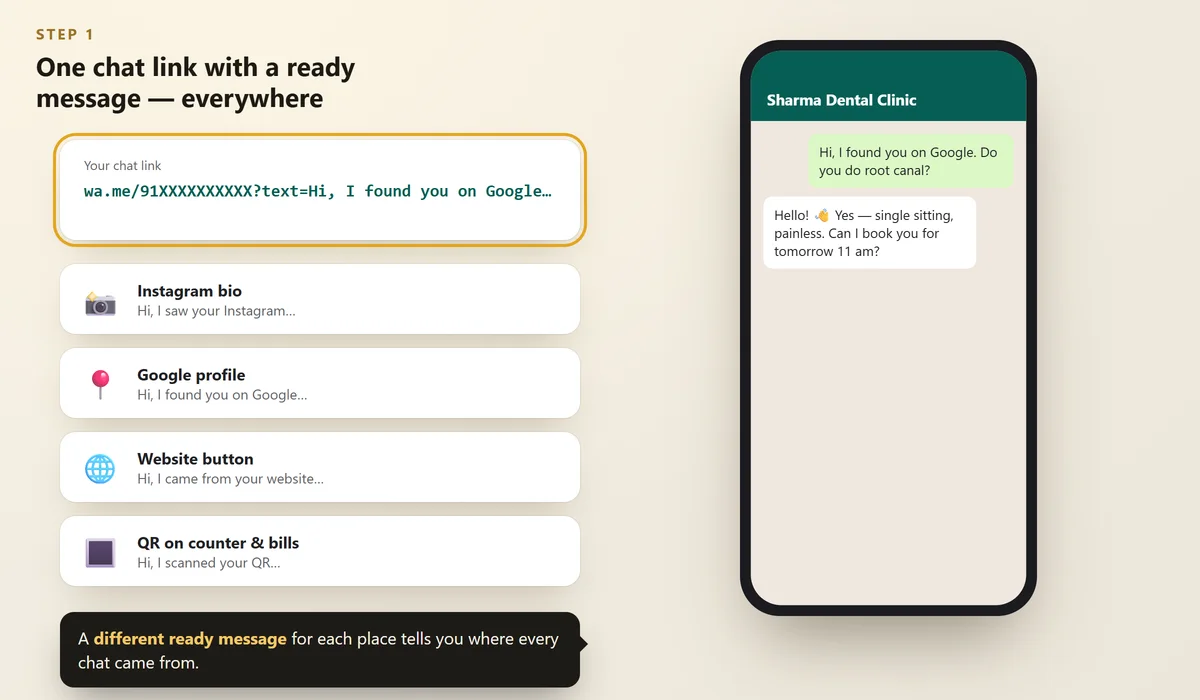
Marketing starts with getting the first message. Put a one-tap chat link everywhere:
 Illustration
- A wa.me link:
https://wa.me/91XXXXXXXXXX?text=Hi,%20I%20want%20to%20know%20about...opens a chat with your number and a ready message. Add it to your Instagram bio, Google Business Profile and website buttons. - A QR code on your counter, bills and visiting cards that opens the same chat — see QR codes for small business.
- Click-to-WhatsApp ads on Facebook and Instagram, when you're ready to spend — see Facebook and Instagram ads for local business.
Tip: use a different pre-filled message for each place ("Hi, I saw your Instagram…", "Hi, I found you on Google…"). You'll instantly know where every chat came from.
Step #2: Reply Fast — and Make Every Reply Sell
On WhatsApp, the first business to reply often gets the customer. Use the app's free tools:
- Greeting message: an instant welcome with your timings and what to send ("Share your area and the service you need").
- Away message: so late-night enquiries know when you'll reply.
- Quick replies: type
/priceor/locationto send a saved answer in one tap. - Catalogue: your services or products with photos and prices, shareable in any chat.
End every reply with one clear next step: "Shall I book you for Saturday 11 am?" beats "Let me know."
Step #3: Use Labels So No Lead Is Forgotten
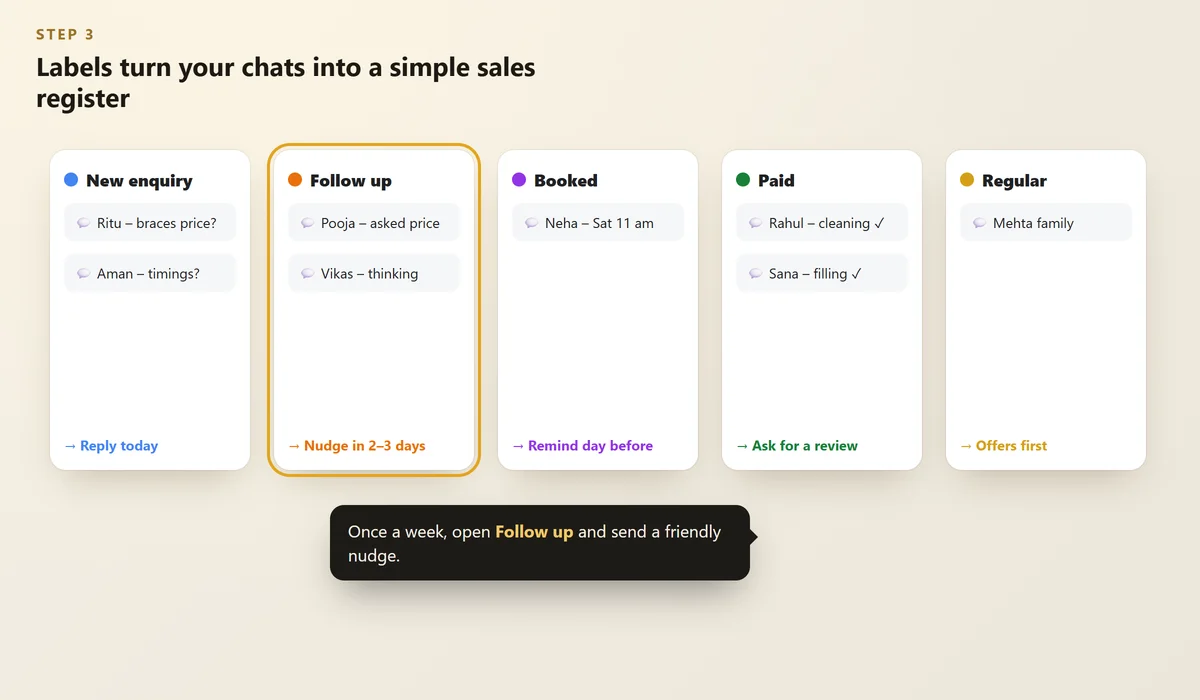
Labels turn your chat list into a simple sales register. Create a few, each with its own colour:
 Illustration
Label | What it means | What to do |
|---|---|---|
New enquiry | First message, not answered fully yet | Reply the same day |
Follow up | Asked the price, didn't decide | Message again in 2–3 days |
Booked | Appointment or order confirmed | Send a reminder the day before |
Paid | Done and paid | Ask for a Google review |
Regular customer | Comes back often | Early access to offers |
Once a week, open the Follow up label and send a short, friendly nudge. This one habit recovers enquiries most businesses simply forget.
Step #4: Post on Status Every Day
Everyone who saved your number can see your Status — it's free, daily reach. Rotate a few types:
- A happy customer, review or before/after (with permission)
- Today's offer, new arrival or available slots
- Behind the scenes: your team, your kitchen, your workshop
- A short tip your customers will find useful
Short videos work well here too — reuse your Reels. Here are 30 Reels ideas for small business.
Step #5: Send Offers With Broadcast Lists — the Right Way
A broadcast list sends one message to many people, but each person receives it as a normal one-to-one chat. Done right, it's your best free marketing channel.
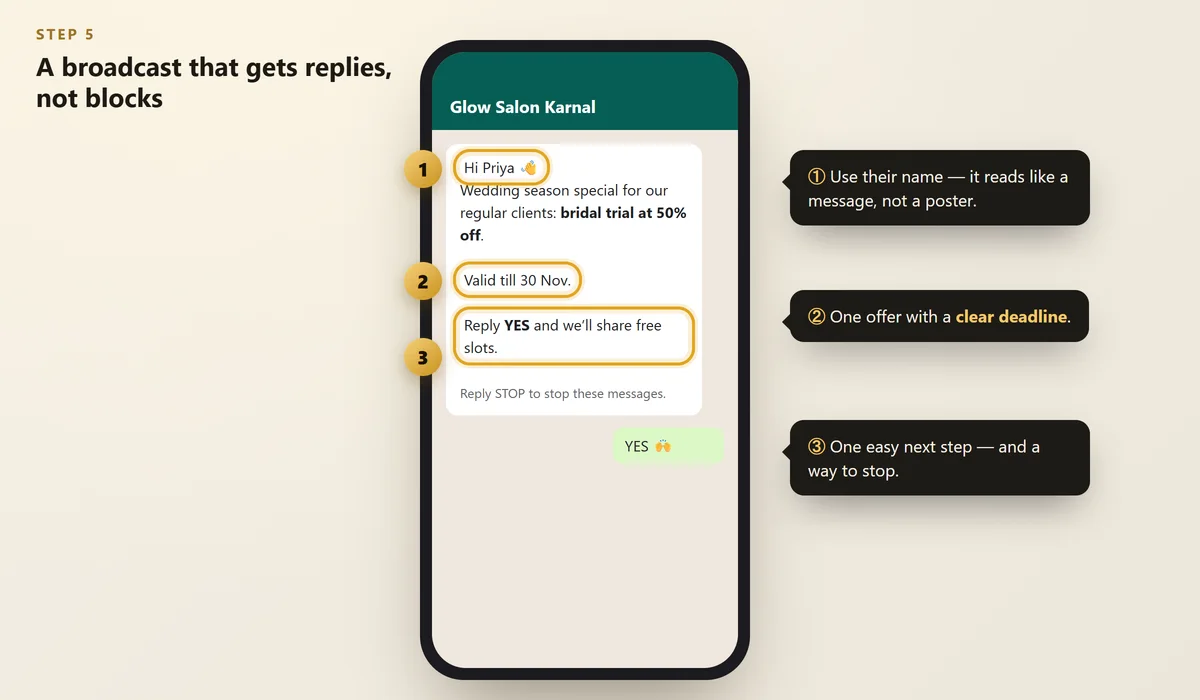
- Only message people who said yes. Ask: "Can I send you our offers on WhatsApp? Twice a month at most."
- They must have saved your number. Broadcasts only reach people who have your number in their contacts — another reason to ask them to save it.
- Keep it rare and useful: two to four messages a month — festival offers, new arrivals, open slots.
- Make lists by interest: "Parents – Class 10", "Bridal enquiries", "Regular customers". A relevant message gets replies; a generic one gets muted.
- Make it easy to stop: "Reply STOP if you don't want these messages."
 Illustration
Messaging people who never contacted you, adding them to groups without asking, sending too many messages, or bought contact lists. When many people block or report you, WhatsApp can limit or ban your number — and you lose every customer chat on it.
Step #6: Use Channels and Communities (Optional)
- WhatsApp Channels are one-way updates people choose to follow — good for regular updates like daily menus, new stock or tips.
- Communities group related chats together — useful for a coaching institute (one group per batch) or a society-based service.
When Do You Need the WhatsApp Business API?
The free WhatsApp Business app is enough for most small businesses. You may need the WhatsApp Business Platform (API), through a provider, when:
- Several staff need to answer from one number on different devices
- You want automatic replies, chatbots or order updates linked to your software
- You need to send messages to thousands of customers who opted in
Keep in mind: on the API, Meta charges for many business-started messages (marketing messages cost the most), and messages outside a customer conversation must use pre-approved templates. Check the current pricing on WhatsApp Business before you choose a provider.
How to Measure WhatsApp Marketing
- New chats per week — and where they came from (your pre-filled messages tell you).
- Chats that became customers — count your "Paid" label each month.
- Broadcast replies vs blocks — if people stop replying, send less and make it more useful.
Tracking leads from WhatsApp, Google and Instagram together? Our guide to promoting your business online for free has a simple "How did you find us?" sheet.
FAQs
Is WhatsApp marketing free?
Yes, with the free WhatsApp Business app: chat links, Status, catalogues, labels and broadcast lists cost nothing. The paid part is the WhatsApp Business Platform (API), where Meta charges for many business-started messages.
How many people can I send a broadcast to?
The app limits how many contacts a broadcast list can hold, and messages only reach people who saved your number. For larger, opted-in lists, businesses use the WhatsApp Business API through a provider.
Can I add customers to a WhatsApp group for promotion?
Only with their clear permission. Adding people without asking is a fast way to get reported. A broadcast list or a Channel is usually the better choice for offers.
How often should I send offers on WhatsApp?
Two to four messages a month is plenty for most local businesses. Status updates can be daily, because people choose to view them.
Why are my broadcast messages not delivered?
Broadcasts only reach people who have saved your number in their phone. Ask customers to save your number — a greeting message can remind them.
Final Thoughts
Good WhatsApp marketing doesn't feel like marketing. It feels like a helpful shop that replies fast and remembers you.
Start with a chat link and fast replies, add labels and a daily Status, and send offers only to people who asked for them.
Want more enquiries on WhatsApp?
We set up your WhatsApp Business, chat links, QR codes and ads so customers can reach you in one tap — and nothing slips through.
Written by Nancy Dahiya
Nancy is the founder of Pehchaan Digital. She helps hospitals, coaching institutes, hotels and local businesses get found online — and writes these guides in plain language so owners can see what actually works.
Keep reading
All guides → Digital Marketing
How to Promote Your Business Online for Free: 15 Ways That Work (2026)
15 free ways to promote your business online — Google, WhatsApp, Instagram, reviews and your website — plus a simple 10-minute daily routine.
 Digital Marketing
Instagram Reels Ideas for Small Business: 30 Ideas That Bring Customers
30 ready Reel ideas for clinics, coaching institutes, cafés, salons and shops — and a simple formula for Reels that bring enquiries.
 Digital Marketing
Facebook & Instagram Ads for Local Business: Step-by-Step Guide (2026)
Boost or Ads Manager, the right objective, local targeting, budgets and WhatsApp ads — how to get real enquiries from Meta ads.